A second pair of eyes for the clerk on shift

SecondClerk puts AI on the cameras your store already has. When an item goes into a pocket, a bag or under a coat, your clerk gets a short clip on their phone while the shopper is still inside.

Free. Three screenshots from your recorder, an answer in two working days.

Footage: Mixkit
  • Your existing camerasAI on the cameras and recorder you already have.
  • A clip in secondsOn the clerk’s phone, while the shopper is still inside.
  • Behavior, not facesNo facial recognition. Faces blurred before storage.
  • $199 a storeA month. Price on the page, stop any month.

One clerk can’t watch the aisles and the register. So the loss shows up at the stock count, days later, with an hour of footage to scrub.

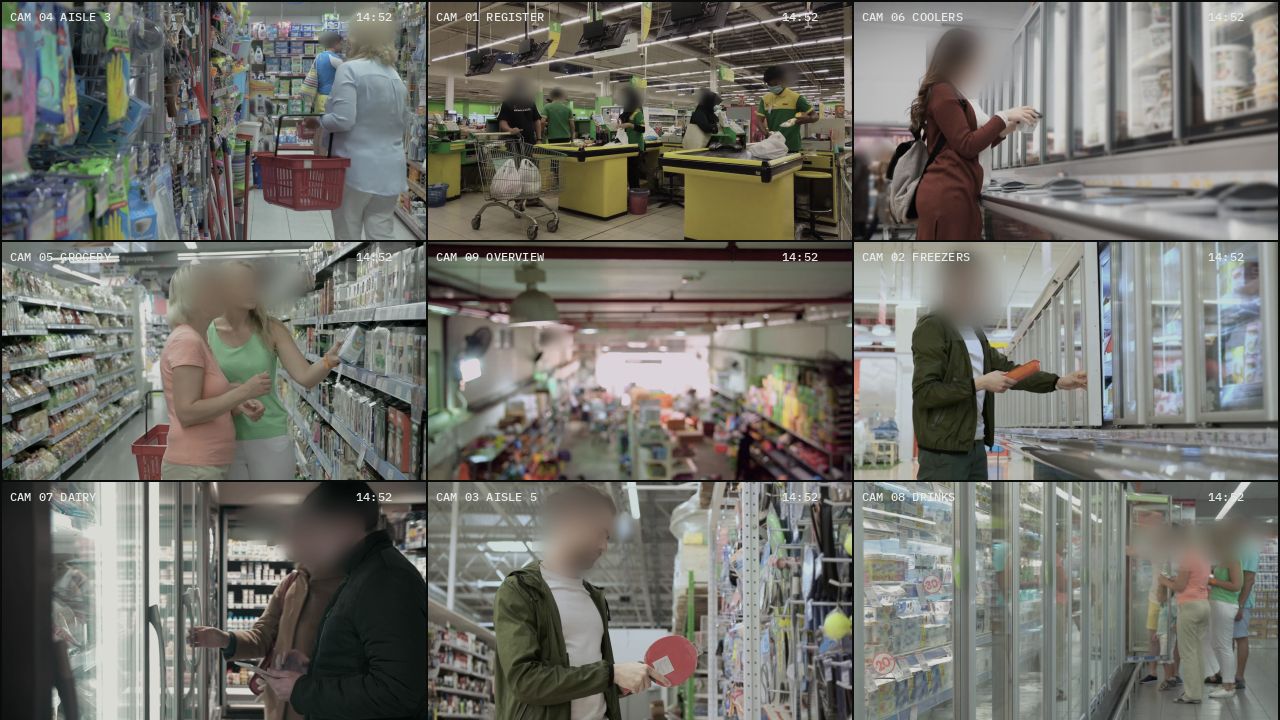
A nine-camera monitor view of a store: aisles, coolers, freezers and the register, with faces blurred

The monitor behind the counter. Nine cameras, and nobody free to watch them. Stock footage (Mixkit), faces blurred.

9:42 PM · Aisle 5An item goes into a coat pocket. Your clerk is ringing up a customer, and nobody is looking at the monitor.

Friday · Stock countThe count comes up short. Then an hour of scrubbing footage to find one clip.

With SecondClerk, a short clip of that moment is on your clerk’s phone within seconds. They look, then they decide.

  • 63% of US convenience stores, 95,672 of 151,975, are owned by a company with 10 or fewer stores. This page is written for them.1

    NACS/NIQ TDLinx, Jan 2026

The moment an item goes somewhere it shouldn’t.

The AI follows the item from the shelf to the hand. If it goes into a pocket or a waistband instead of a basket, that moment is flagged.
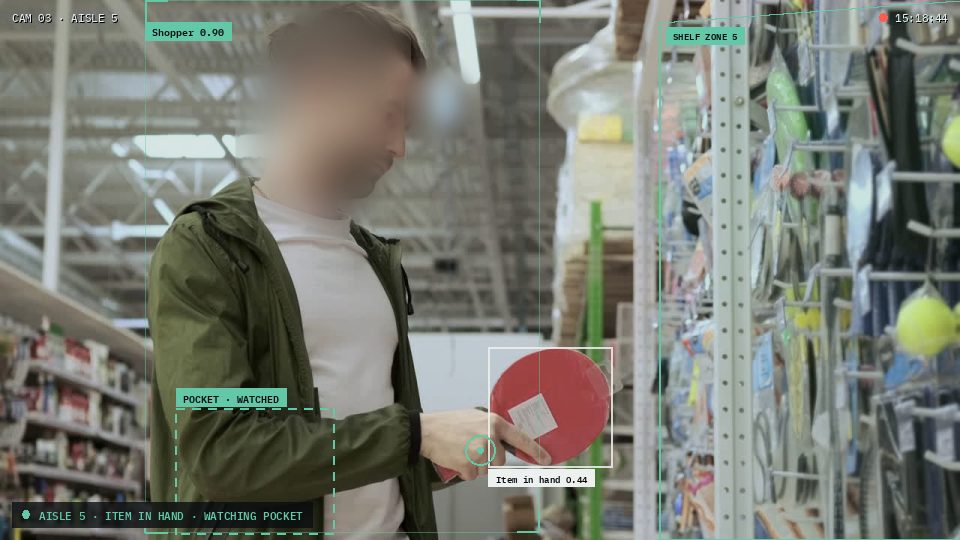
Stock camera view of aisle 5: a shopper holding an item, face blurred, with the item and the pocket area markedItem in hand, hand near a pocketCameraAisle 5 · CAM 03SawItem in hand, near pocketFlagConcealment, if it goes inSentClip to the clerk’s phoneSample readout. Stock still (Mixkit) with our overlay; hand marks placed by hand. Nobody is stealing.
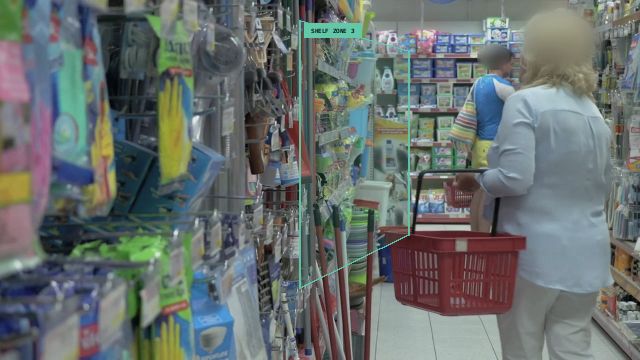
Bags are normal. An item going into one at the shelf, before the register, is the moment that gets flagged.

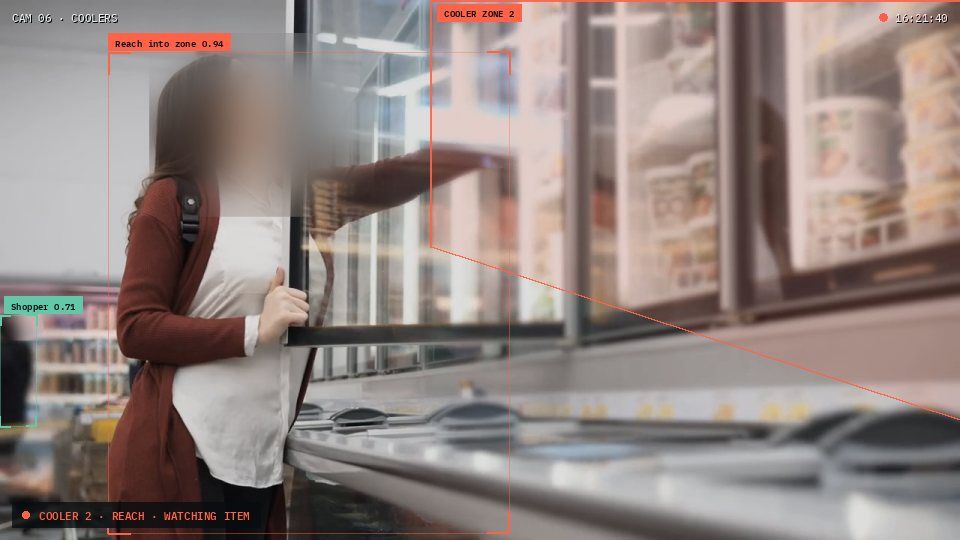
From the cooler toward a bagCameraCoolers · CAM 06SawReach into cooler, item in handFlagConcealment, if it goes in the bagSentClip to the clerk’s phoneSample readout. Stock footage (Mixkit) with our overlay. Nobody is stealing.

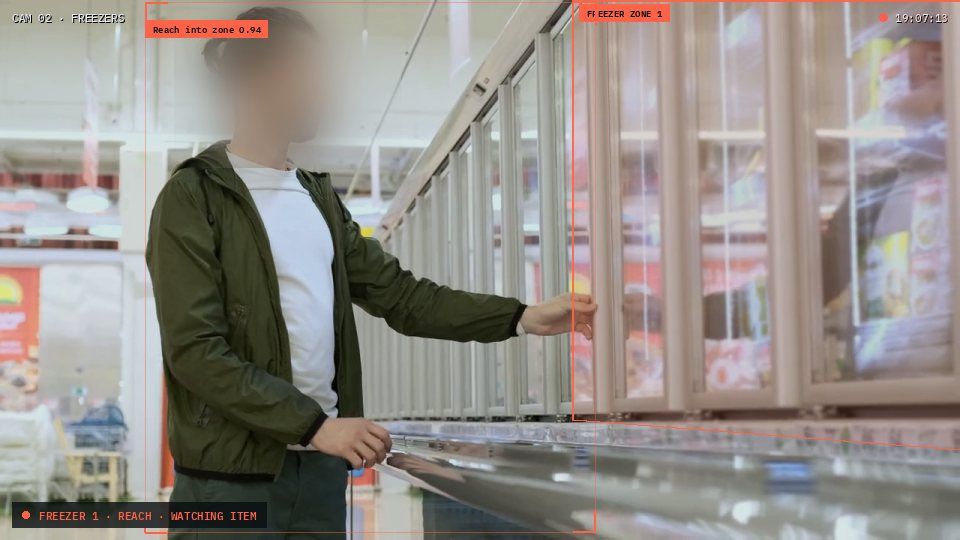
The AI watches where the item goes after it leaves the shelf. It does not judge what anyone looks like or wears.

Item in hand at the freezersCameraFreezers · CAM 02SawReach into freezer, item in handFlagConcealment, if it goes under the coatSentClip to the clerk’s phoneSample readout. Stock footage (Mixkit) with our overlay. Nobody is stealing.

Pick the shelves that lose stock. The door and the register line are left out, and each camera gets its own sensitivity.

Stock camera view of an aisle with one shelf zone outlined, faces blurredZones drawn on the setup callCameraAisle 3 · CAM 04WatchingShelf zone 3Left outDoor, register lineSet onThe setup callSample readout. Stock still (Mixkit) with our overlay.

People footage: Mixkit. Camera views: stock footage (Mixkit) with our overlay. Nobody in them is stealing, and none is a customer store.

A clip on the phone now. A map of your shelves each month.

From day 8, the clerk on shift gets the alert. Every month you get the Hot-Spot Report: which aisle, which hour.

The alert, on the clerk’s phone2
SecondClerkSample

Concealment · Aisle 5

Stock camera view of a shopper holding an item in aisle 5, face blurredCLIP 0:04
Camera
CAM 03 · Aisle 5
Time
9:42 PM
Second check
Passed

Watch the clip, then rate it:

  • Real
  • Not theft
  • Not sure

The alert says concealment, never theft. Your clerk watches the clip and decides. Every store gets a Staff Response Card: what to do, what to say, and never confront.

The Hot-Spot Report, from day 302
SecondClerkHot-Spot ReportSample layout · not real data

Concealment alerts by aisle and hour

MorningMiddayEveningLate
Aisle 3nonefewfewsome
Aisle 5nonefewsomemost
Coolersfewfewsomesome
Freezersnonenonefewfew

Alerts by type

  • Into a pocket or waistband
  • Into a bag
  • Under a jacket or sleeve

Clips worth a second look

  • Aisle 5 · 9:42 PMSample clip
  • Freezers · 7:31 PMSample clip
  • Coolers · 2:15 PMSample clip

The real report adds counts, the trend against last month and a link to every clip.

Set up on one call. No box, no installer visit, nothing shipped.

  1. Your camerasThe cameras and recorder already in the store.
  2. The connectorSmall software on a PC you already have, like the one in the back office.
  3. One connection outEncrypted and outbound-only, to our cloud.
  4. SecondClerk AIWatches the shelves you chose, checks every clip twice and blurs faces before storage.
  5. The clerk’s phoneA short clip by push, text or email.

Will my cameras work?

  • Usually, yes. The free footage check tells you camera by camera, before you pay.
  • What a camera can flag depends on its angle, its light and its distance from the shelf.
  • No PC that stays on in the store? A small off-the-shelf PC you buy locally does the job, and it stays yours.
  • Your video does leave the store. The camera streams you choose go, encrypted, to our cloud.

What it never does

  • Identify anyone. No facial recognition, no watchlists, no repeat-visitor alerts.
  • Accuse anyone. It flags a moment. A person watches the clip and decides.
  • Tell staff to confront a shopper. The Staff Response Card says the opposite.
  • Cover the fuel pumps. Drive-offs are not detected today.
  • Promise less theft. We promise the service: the set-up, the tuning and the two guarantees below.

See what the AI flags on your own cameras before you pay

Start with a free footage check. Then decide if 30 days on your own shelves is worth $99.

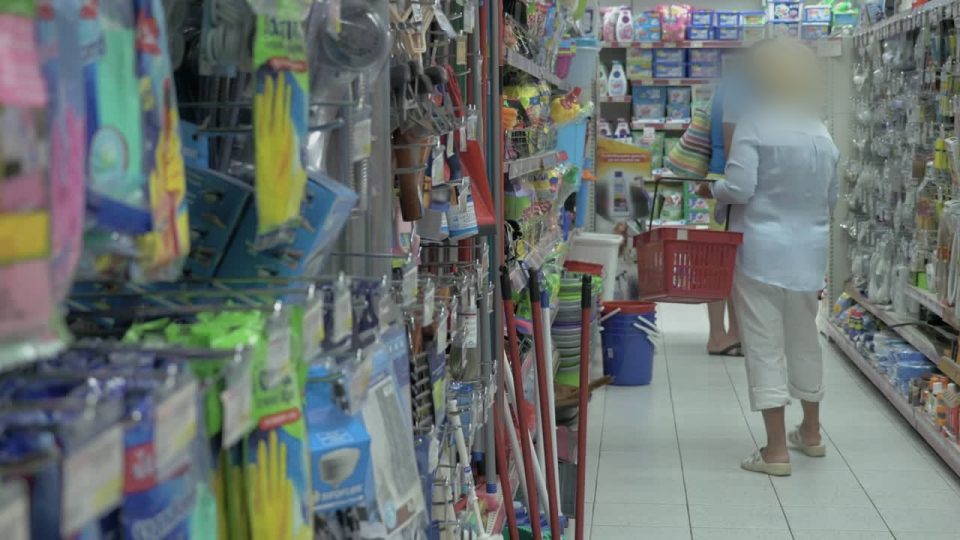
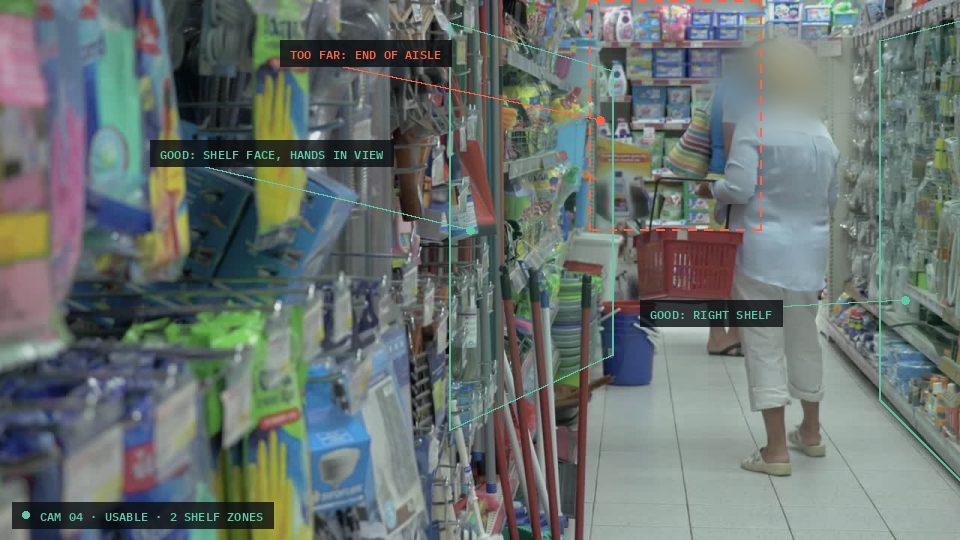
A stock camera view of a store aisle, as an owner would send itThe same view marked up: which shelves the camera can watch and which part of the aisle is too far
The free footage check, one cameraExample on stock footage (Mixkit), not a customer store. Drag the line to compare.
  1. 01

    Free footage check

    Send three screenshots from your recorder. In two working days you know which cameras will work. Add a short recording and you get back the clips the AI flags in it.

    Free

  2. 02

    30-Day Shift Watch

    For founding stores. Up to 8 cameras, set up on one call. Billed on day 30.

    $99

    • Days 1 to 7Quiet week. Clips to you only.
    • Day 8 onAlerts go to the staff you choose.
    • Day 30Hot-Spot Report and a review call.
  3. 03

    Keep it running

    Up to 8 cameras, $15 a month for each one after that. No install fee. Stop any month, or pay $1,990 a year. The first 50 stores keep $199 for 24 months.

    $199per store, per month

The Worth-It Guarantee

Not worth it on day 30? You don’t pay the $99. No conditions.

Get my free footage check

The Real-Alert Promise. After the tuning week, if false alerts average more than five a day in any week, we retune free. Not fixed in 14 days? Leave, and we refund your last month.

Shift Watch includes the Staff Response Card, the Signage and Privacy Pack, the monthly Hot-Spot Report, a Camera Placement Check, and clip downloads stamped with store, camera and time.

Before you send a screenshot

01Do I need new cameras or a box?

Usually not. SecondClerk runs on the cameras and recorder you already have, through a small connector on a PC in the store. Nothing is shipped. The free footage check tells you which cameras will work before you pay.

02What does the AI actually do?

Computer vision models follow hands and items at the shelves you chose, and flag the moment an item goes into a pocket, a bag or under clothing. A second model checks each clip and drops likely false alerts before anything reaches your clerk. It flags behavior. It does not know who anyone is.

03Does my video leave the store?

Yes. The camera streams you choose are sent over one encrypted, outbound-only connection to our cloud, where the AI runs. Faces are blurred before a clip is stored.

04Will it accuse a customer?

No. The alert says concealment, never theft, and it goes to your staff, not to the shopper. A person watches the clip and decides what to do. The Staff Response Card covers what to say, and it says never confront.

05How many false alerts will I get?

It depends on your cameras, so we don’t quote an accuracy number. The first week is quiet: clips come to you only, while we tune. After that the Real-Alert Promise applies. More than five false alerts a day on average in any week, and we retune free.

06Can I give a clip to the police?

You can download any clip with the store, camera and time on it. Faces in stored clips are blurred, and what police can use differs from place to place, so we don’t promise a clip will work as evidence. Ask us where this stands when you send your screenshots.

07Is there a contract?

No. It is month to month and you can stop any month. $199 a store a month covers up to 8 cameras, and there is no install fee.

08Does it cover the fuel pumps?

No. SecondClerk watches the shelves inside the store. Drive-offs at the pump are not detected today.

See what your cameras can flag

Send three screenshots from your recorder. In two working days you’ll know what each camera can watch. Free, and no contract.

  1. 01Send three recorder screenshots
  2. 02We answer in two working days, camera by camera
  3. 03You decide if 30 days is worth $99